Impedance Scanning
Configure PSCAD-connected scan cases, run targeted frequency sweeps, and move validated impedance data into analysis-ready projects.
From PSCAD model to reusable frequency-response data
Rezonance wraps the impedance-scanning workflow into something repeatable. You configure a scan case, point it at a PSCAD workspace, and generate frequency-response data that feeds straight into the rest of the project.
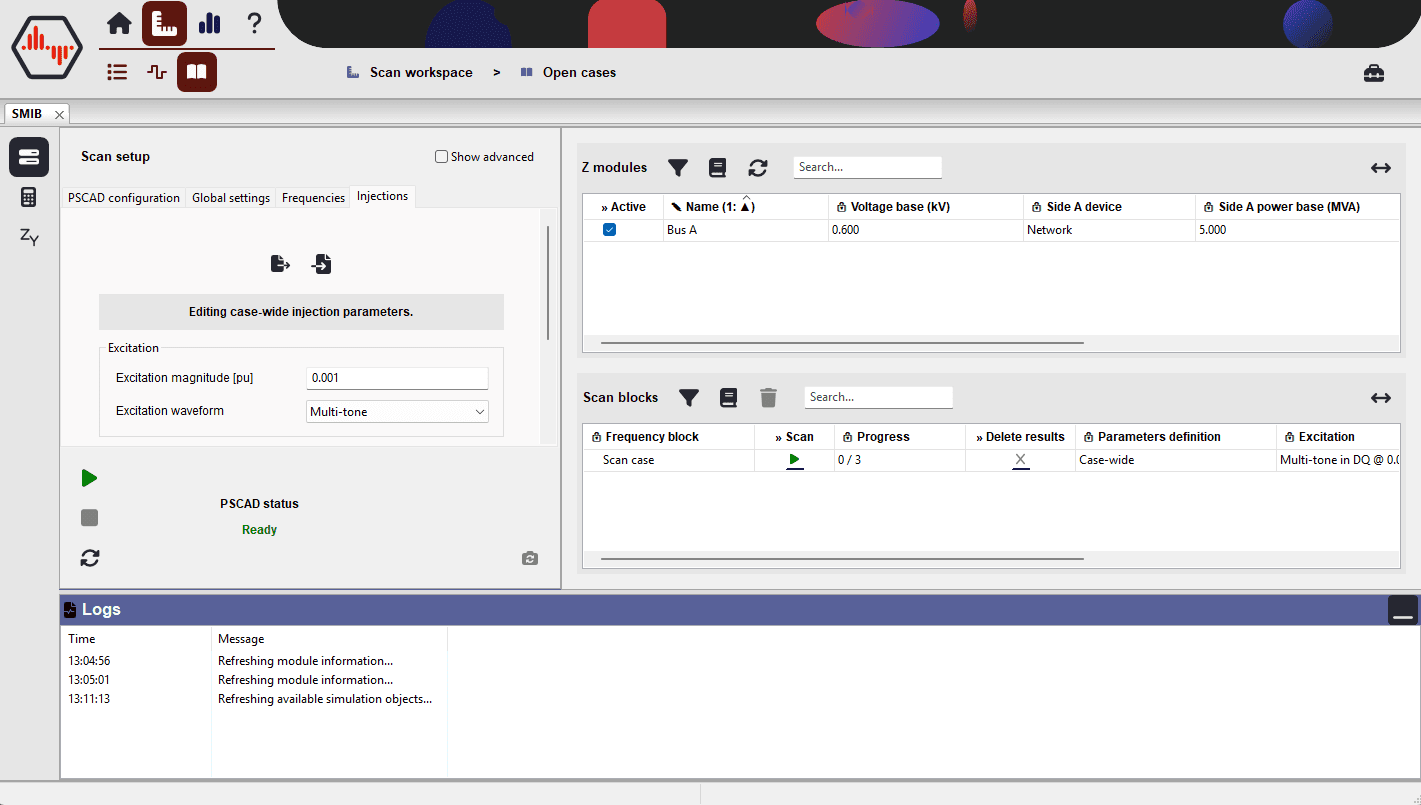
The scanning workspace covers the real steps needed to run a study properly:
- Connect to the right PSCAD workspace and active simulation object.
- Define scan cases for the system topology you want to study.
- Select or build the frequency sets relevant to the operating region.
- Review results before promoting them into project elements.
The goal is structured engineering data you can compare, review, and reuse across studies.
Single-bus and multi-bus support
The workflow supports both conventional single-bus scans and larger multi-bus representations. The same tooling covers an initial inverter study, a subsystem frequency-response investigation, or the preparation of data for wider network-level stability work.
| Capability | Why it matters |
|---|---|
| Guided scan-case setup | Define workspace files, active simulation objects, and scan settings without maintaining a brittle manual checklist. |
| Frequency-set configuration | Combine broad sweeps with high-resolution windows to focus effort where resonances are likely to matter. |
| Result interrogation before publishing | Check whether a scan is trustworthy before pushing outputs into the shared project. |
| Project-ready generated elements | Approved results become reusable data objects for comparison, reporting, and stability analysis. |
A clear workflow from setup to results
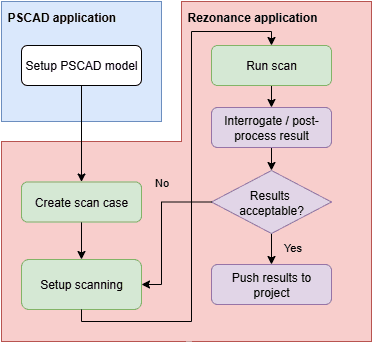
Most engineers want a workflow they can repeat confidently across studies. Rezonance keeps the path explicit:
- Prepare the PSCAD model with the required Rezonance modules.
- Configure the scan case, global settings, and injection parameters.
- Execute the scan and inspect the resulting frequency responses.
- Push validated outputs into the project so they are available everywhere else in the tool.
This makes it easier to standardise how studies are run across projects, while keeping flexibility where each model or study needs different scan settings.
Why teams use it
Engineers often need more than a one-off plot. They need a dependable way to regenerate data, compare operating points, and move from simulation to decision-making without rework. Rezonance combines PSCAD integration, purpose-built scan management, and a project model that keeps generated elements connected to the broader workflow.
See also the full feature overview for the complementary data-management, analysis, and automation capabilities.
Keep exploring Impedance Scanning
Dive further into the Rezonance workflow, compare capabilities, and see how this feature fits into the broader analysis platform.
Explore all features